v0.8.1 Nov 2, 2026
- Privacy cleanup: removed leftover setup code; no personal data in the app.
Log doses, keep track of every vial and rotate injection sites. No account, no ads, and the app has no internet permission, so your data never leaves your phone.
Free · No account · Android 8.0+ · Released 2026-11-02 · Checksums
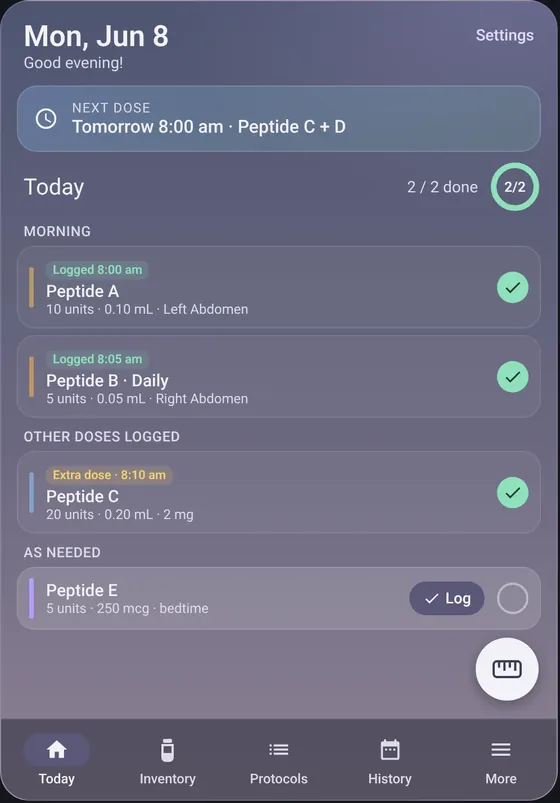
Shown with made-up sample data.
09694138f59d809ee4bf5a47a4a6c8cb5d68148b899b53ed9fa593041dbbad87e2e786d56c3279a16cda78fb2107d8ffb161c12820931e6aa6fc6658ff8fe548Never install a copy whose checksum doesn't match. How to verify
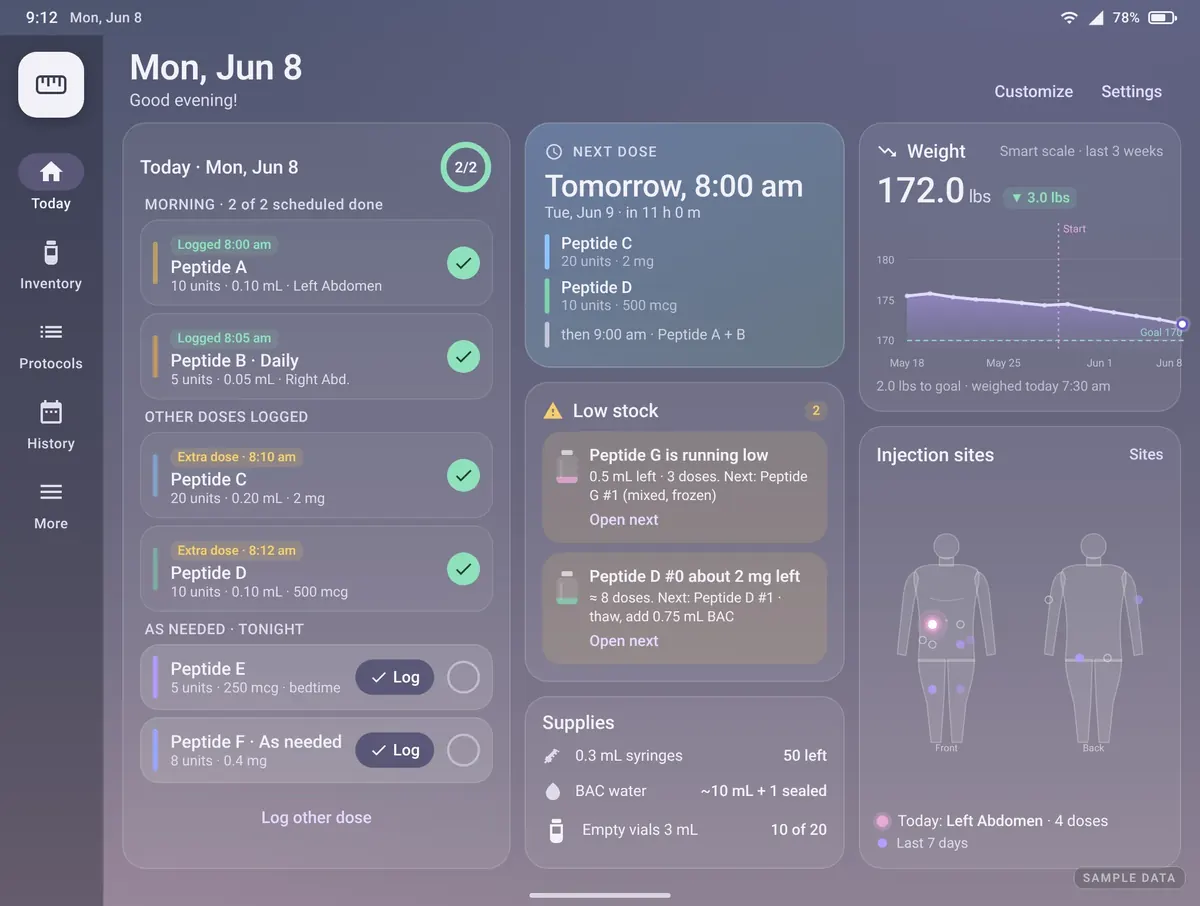
So you can see what's due today and what you've already taken. Daily, weekly, cycle, as-needed and step-up schedules, with on-time reminders.
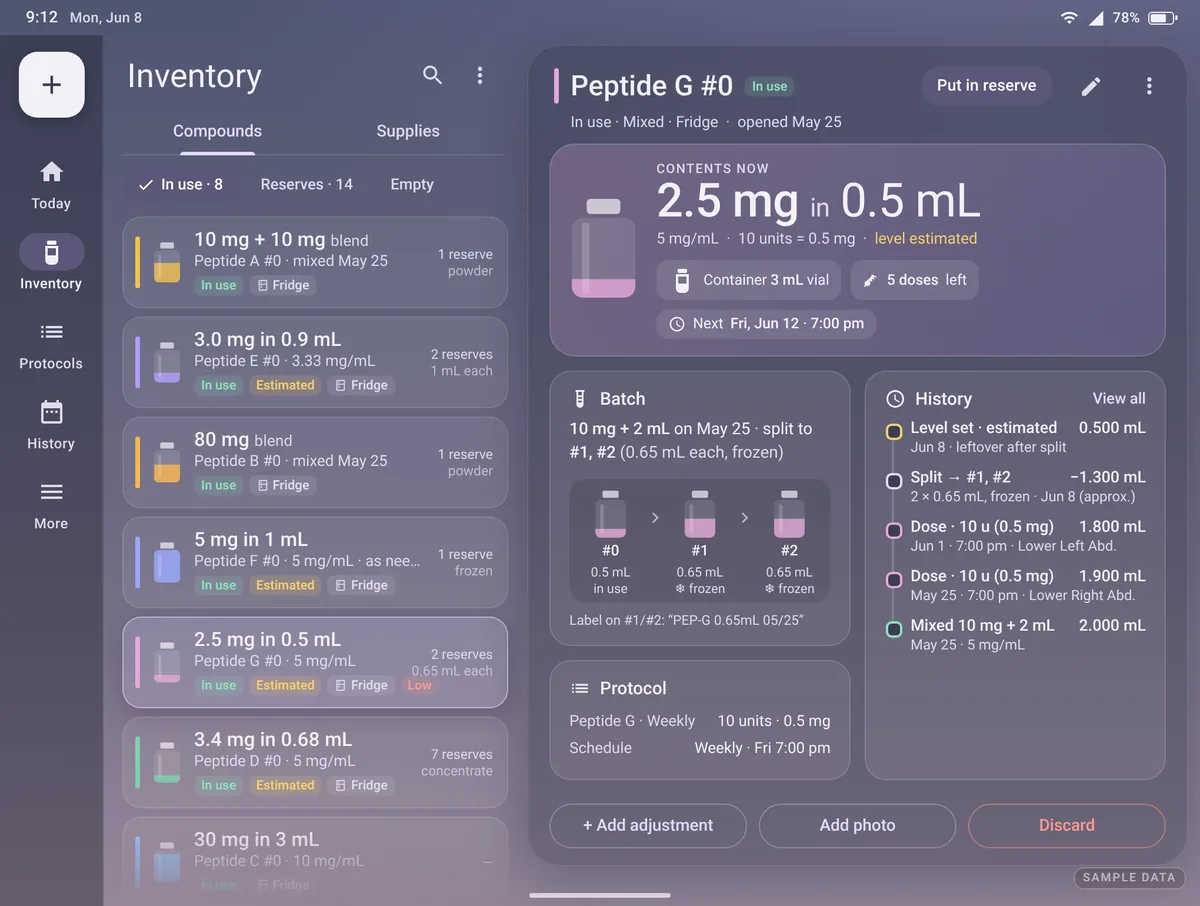
Enter the mg and BAC water and it works out the concentration, units per dose, what's left and the beyond-use date. Batches, reserves and supplies too.
A front and back body map shows where you've been lately, so you can pick a fresh site every time.
No sign-in and no servers. Back up to a file you control, export JSON or CSV, or make a PDF report.
All screens are shown with made-up sample data.
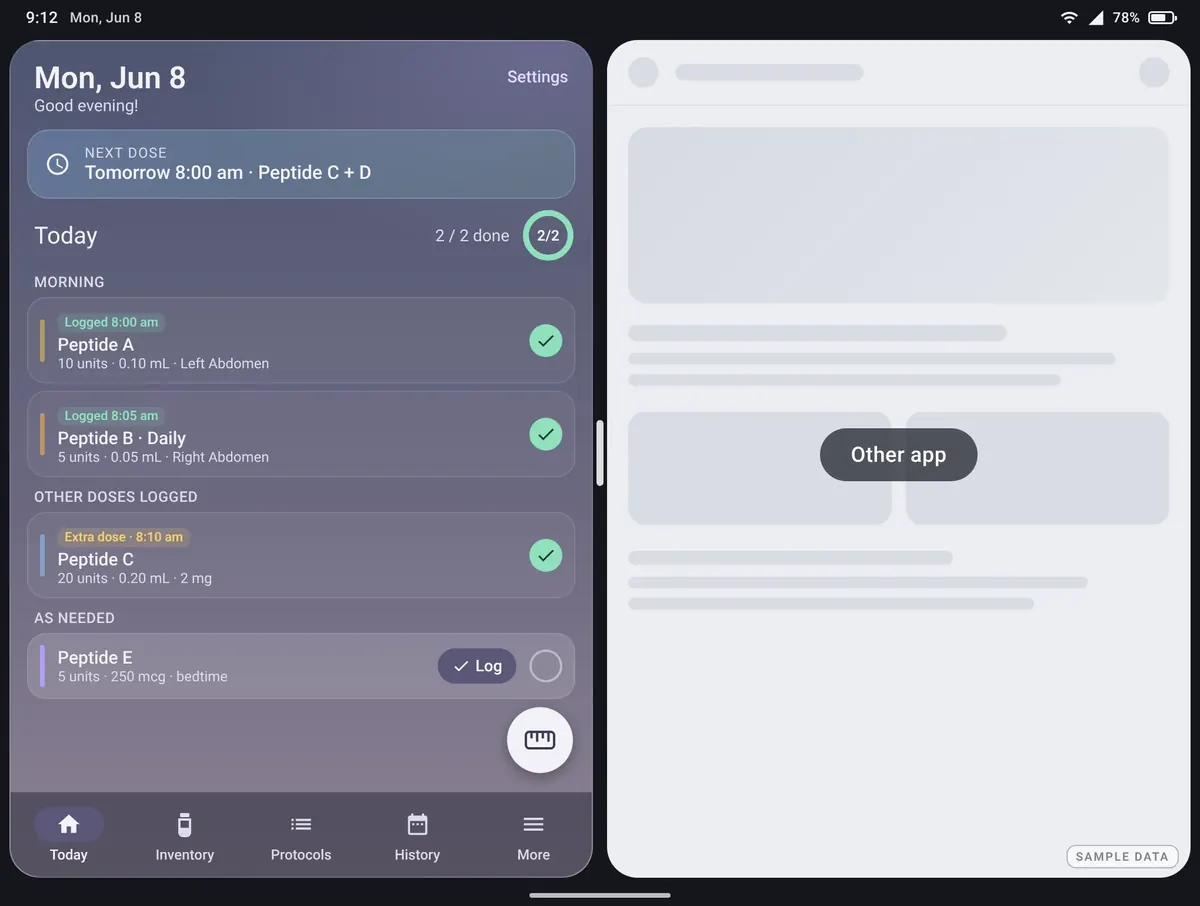
Peptides stores everything only on this device. It doesn't request internet access, so it can't send your data anywhere. There's no sign-in, no ads and no analytics.
One caveat: phone backup. Peptides allows Android's own system backup. If your phone's backup is turned on, Android may copy app data, including your log, into your phone backup (for example your Google account backup). To keep it out, turn off device backup in your phone's Settings (often Settings › Google › Backup, depending on your phone). Backups and exports you make inside the app are files you choose where to save.
Peptides is a personal logging tool. It is not medical advice and does not recommend doses. The numbers it shows come from what you enter. Talk to a qualified clinician about any treatment.
Peptides isn't on Google Play, so you install it straight from this page (called sideloading).
Tap the download button on this page, on your Android phone. Check the SHA-256 if you like (see below).
Android asks to allow "Install unknown apps". This permission belongs to your browser or file manager, not to Peptides. Tap Settings, allow it, then go back.
Tap Install. Afterwards you can turn the permission back off in Settings › Apps › [your browser] › Install unknown apps.
Compare the file's SHA-256 with the one in the download box. To check the signing certificate on a computer:
sha256sum peptides-v0.8.1.apk
apksigner verify --print-certs peptides-v0.8.1.apk
The certificate SHA-256 should read e2e786d56c3279a16cda78fb2107d8ffb161c12820931e6aa6fc6658ff8fe548. On a phone, apps like AppVerifier can check it too. If anything doesn't match, don't install it.
Install the new APK over the old one. You don't need to uninstall first: every version is signed with the same key, so your data is kept.
Play Protect may show a generic warning for apps not from Google Play. That's normal for sideloaded apps. Stop if the checksum doesn't match.
| Internet | Not requested. The app can't go online. |
|---|---|
| Notifications | Dose reminders. |
| Alarms & reminders | So reminders fire on time. |
| Run at startup | Puts your reminders back after the phone restarts. |
| Camera (optional) | Only if you take progress photos. Photos stay inside the app. |
| Health Connect (optional, read only) | Only if you turn it on: reads weight, body composition, nutrition and similar readings for your charts. Nothing is written back. |
Only on your phone, inside the app. Peptides has no internet permission, no account and no servers. See the phone-backup caveat.
Yes. Make a backup file in the app and save it where you like, then on the new phone install Peptides and choose Restore from backup. You can also export JSON or CSV, or set up a daily export to a folder you pick.
Yes. The inner screen gets a side-by-side layout with a navigation rail, the cover screen keeps the phone layout, and split screen is supported. Folding or unfolding keeps your place.
No. Peptides is a log only. It does maths on the numbers you enter (like units from mg and BAC water), but it never recommends a dose. Talk to a qualified clinician.
Download the new APK from this page and install it over the old one. Your data is kept because every version is signed with the same key.
It may show a generic warning for apps not from Google Play. That's normal for sideloaded apps. Check the SHA-256 and stop if it doesn't match.
Yes. No ads, no in-app purchases, no subscription. Support is optional.
Free · No account · Android 8.0+ · Checksums
Peptides is free. If it helps, ☕ support the lab. It pays for building and testing time and keeps Peptides free and ad-free.
Found a bug or missing something? Report a bug · Request a feature